## Key features
* `Sophia Script for Windows` cares about your Windows stability and informs in case of finding a problem
* More than 150 unique functions to configure Windows using Microsoft's officially documented ways without making any harm to it
* Every tweak has its corresponding function to restore default settings
* Fully open-source project
* All archives are being built and uploaded using [GitHub Actions](https://github.com/farag2/Sophia-Script-for-Windows/actions)
* Configure Windows AI
* Configure Windows privacy, security, personalization
* Available via Scoop, Chocolatey, and WinGet
* ARM64 support
* PowerShell 7 support
* Has no conflict with [VAC](https://help.steampowered.com/faqs/view/571A-97DA-70E9-FF74#whatisvac)
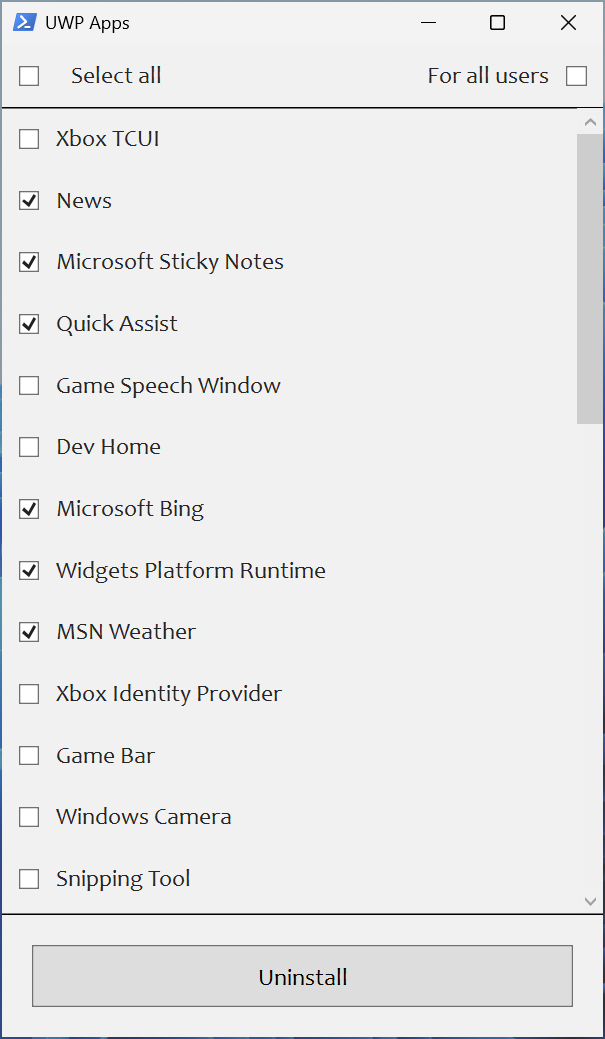
* Uninstall UWP apps displaying their localized packages names
* Script generates installed UWP apps list [dynamically](#screenshots)
* Applied registry policies will be displayed in the Local Group Policy Editor snap-in (gpedit.msc)
* Enable DNS-over-HTTPS using
* [Cloudflare DNS](https://developers.cloudflare.com/1.1.1.1/setup/windows/)
* [Google Public DNS](https://developers.google.com/speed/public-dns/docs/using)
* [Quad9 DNS](https://quad9.net/service/service-addresses-and-features/)
* [Comss.one DNS](https://www.comss.ru/page.php?id=7315)
* [AdGuard DNS](https://adguard-dns.io/public-dns.html)
* Uninstall OneDrive
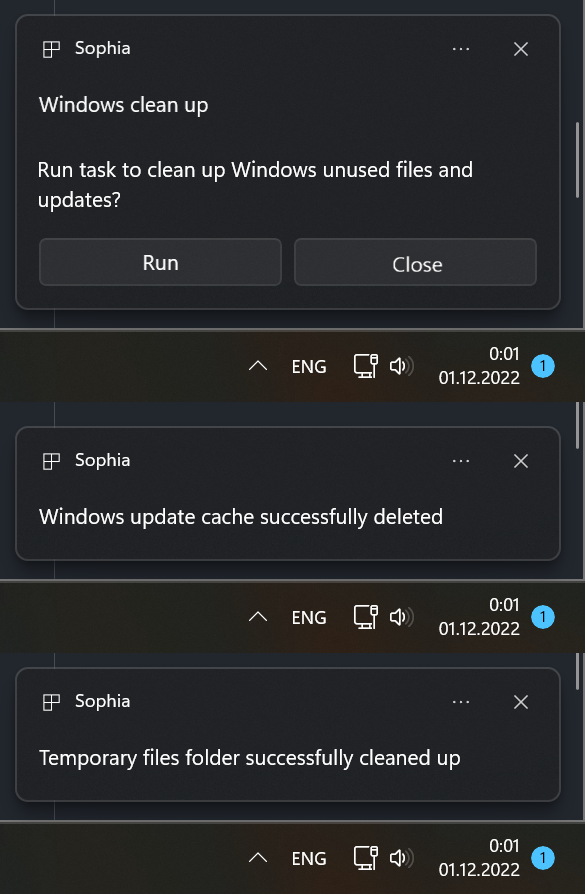
* Interactive [prompts and popups](#screenshots)
*  # Sophia Script for Windows
The most powerful PowerShell module for fine-tuning Windows on GitHub
Made with
# Sophia Script for Windows
The most powerful PowerShell module for fine-tuning Windows on GitHub
Made with  of Windows


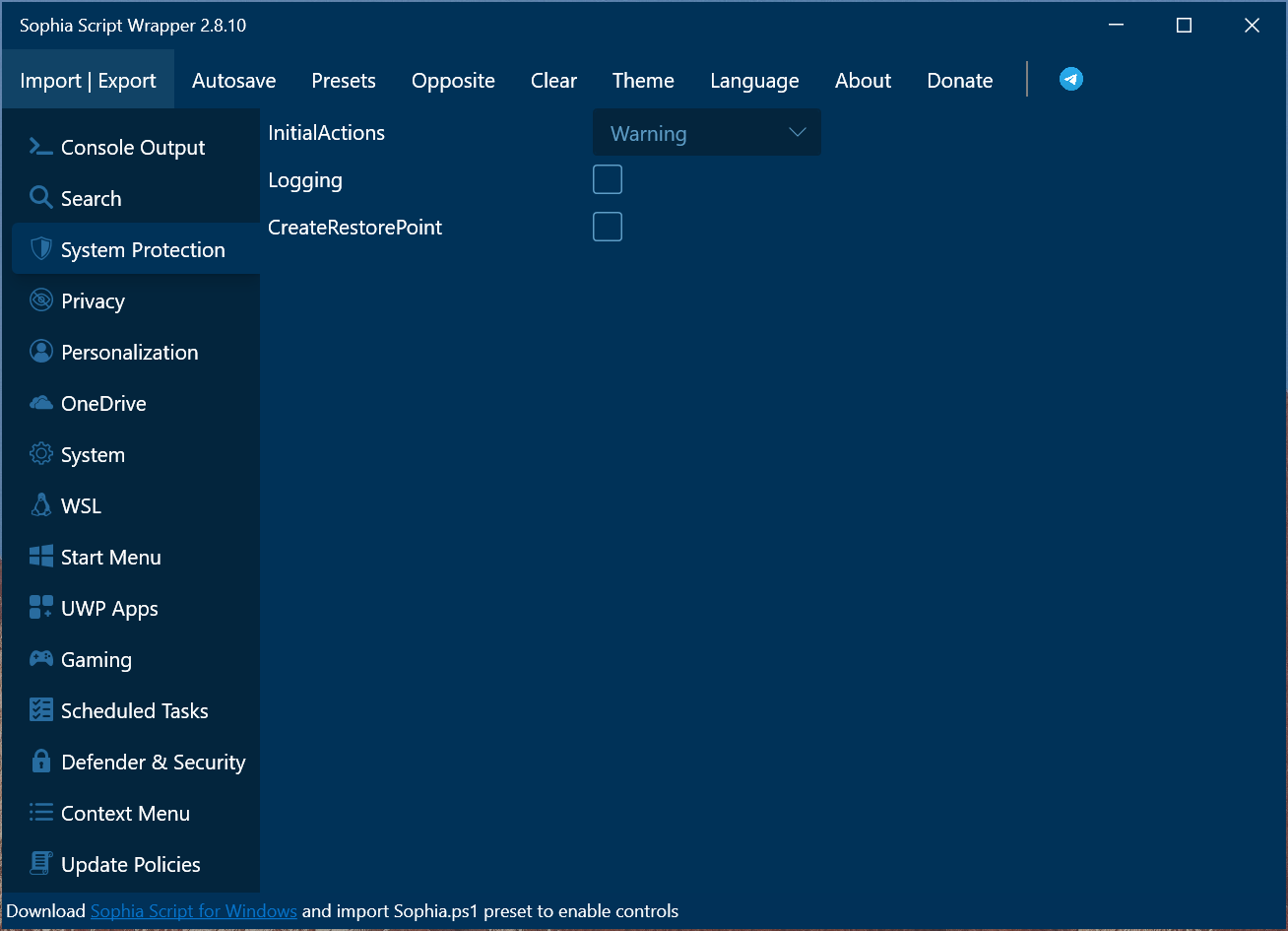 Wrapper is a `3rd party closed-source` wrapper for `Sophia Script for Windows`. It's fully maintained by [@BenchTweakGaming](https://github.com/BenchTweakGaming).
Read more [here](./Wrapper/README.md)
## System Requirements
[Windows-10]: https://support.microsoft.com/topic/windows-10-update-history-8127c2c6-6edf-4fdf-8b9f-0f7be1ef3562
[Windows-10-LTSC-2019]: https://support.microsoft.com/topic/windows-10-and-windows-server-2019-update-history-725fc2e1-4443-6831-a5ca-51ff5cbcb059
[Windows-10-LTSC-2021]: https://support.microsoft.com/topic/windows-10-update-history-857b8ccb-71e4-49e5-b3f6-7073197d98fb
[Windows-11-LTSC-2024]: https://support.microsoft.com/topic/windows-11-version-24h2-update-history-0929c747-1815-4543-8461-0160d16f15e5
[Windows-11-24h2]: https://support.microsoft.com/topic/windows-11-version-25h2-update-history-99c7f493-df2a-4832-bd2d-6706baa0dec0
| Version | Build | Edition |
|:-----------------------------------------|:-------------------------------------:|:-------------------:|
| Windows 11 24H2/25H2+ | [Latest stable][Windows-11-24h2] | Home/Pro/Enterprise |
| Windows 10 x64 22H2 | [Latest stable][Windows-10] | Home/Pro/Enterprise |
| Windows 11 Enterprise LTSC 2024 | [Latest stable][Windows-11-LTSC-2024] | Enterprise |
| Windows 10 x64 21H2 Enterprise LTSC 2021 | [Latest stable][Windows-10-LTSC-2021] | Enterprise |
| Windows 10 x64 1809 Enterprise LTSC 2019 | [Latest stable][Windows-10-LTSC-2019] | Enterprise |
## Screenshots
Wrapper is a `3rd party closed-source` wrapper for `Sophia Script for Windows`. It's fully maintained by [@BenchTweakGaming](https://github.com/BenchTweakGaming).
Read more [here](./Wrapper/README.md)
## System Requirements
[Windows-10]: https://support.microsoft.com/topic/windows-10-update-history-8127c2c6-6edf-4fdf-8b9f-0f7be1ef3562
[Windows-10-LTSC-2019]: https://support.microsoft.com/topic/windows-10-and-windows-server-2019-update-history-725fc2e1-4443-6831-a5ca-51ff5cbcb059
[Windows-10-LTSC-2021]: https://support.microsoft.com/topic/windows-10-update-history-857b8ccb-71e4-49e5-b3f6-7073197d98fb
[Windows-11-LTSC-2024]: https://support.microsoft.com/topic/windows-11-version-24h2-update-history-0929c747-1815-4543-8461-0160d16f15e5
[Windows-11-24h2]: https://support.microsoft.com/topic/windows-11-version-25h2-update-history-99c7f493-df2a-4832-bd2d-6706baa0dec0
| Version | Build | Edition |
|:-----------------------------------------|:-------------------------------------:|:-------------------:|
| Windows 11 24H2/25H2+ | [Latest stable][Windows-11-24h2] | Home/Pro/Enterprise |
| Windows 10 x64 22H2 | [Latest stable][Windows-10] | Home/Pro/Enterprise |
| Windows 11 Enterprise LTSC 2024 | [Latest stable][Windows-11-LTSC-2024] | Enterprise |
| Windows 10 x64 21H2 Enterprise LTSC 2021 | [Latest stable][Windows-10-LTSC-2021] | Enterprise |
| Windows 10 x64 1809 Enterprise LTSC 2019 | [Latest stable][Windows-10-LTSC-2019] | Enterprise |
## Screenshots
 ## How to translate
* Run `$PSUICulture` in PowerShell to determine your UI language
* Create a folder with the UI language name (e.g. `en-US`)
* Place your localized SophiaScript.psd1 file into this folder
## Media
***
## SophiApp 2.0 (C# + WinUI 3)
[SophiApp 2.0](https://github.com/Sophia-Community/SophiApp) is in ongoing development. 🚀


## How to translate
* Run `$PSUICulture` in PowerShell to determine your UI language
* Create a folder with the UI language name (e.g. `en-US`)
* Place your localized SophiaScript.psd1 file into this folder
## Media
***
## SophiApp 2.0 (C# + WinUI 3)
[SophiApp 2.0](https://github.com/Sophia-Community/SophiApp) is in ongoing development. 🚀

